If your Airbnb not getting bookings consistently, you don't have a mysterious "algorithm problem" or bad luck. You have a specific, fixable issue. After 12 years of hosting and managing 100+ properties, I've found that low airbnb occupancy almost always comes down to one of seven root causes.
Here's what I tell hosts struggling with low occupancy: something concrete is broken, and once you fix it, your bookings have room to improve. Let me show you how to diagnose and fix each problem.
Benchmarking Your Occupancy Rate
Before diving into fixes, you need to know if you actually have a problem. Airbnb occupancy rate varies dramatically by market, season, and property type.
Good occupancy rates by market type:
- Major cities (NYC, SF, LA): 65-75%
- Beach destinations: 70-85% (summer), 40-60% (winter)
- Mountain/ski towns: 80-90% (peak season), 30-50% (off-season)
- Small cities: 60-75%
- Rural/unique properties: 55-70%
If you're running 15-20% below these benchmarks consistently, you have a fixable problem. If you're just 5-10% below, you might need minor tweaks rather than major changes.
Track your occupancy monthly, not weekly. I've seen hosts panic over a slow week when they're actually performing well for the month.
Cause 1: Pricing Above Market
Overpricing kills more listings than any other factor. It's common to see a property sitting empty while nearly identical listings down the street, priced noticeably lower, book solid.
How to check if this is your problem:
- Search your dates as a guest
- Look at the first 10-15 listings that appear
- Note their prices and amenities
- If you're priced 20%+ above similar properties, this is likely your issue
The fix: Drop your price 10-15% below market rate for 2-3 weeks. Yes, you'll make less per night, but you'll book more nights. A 70% occupancy at $130/night beats 30% occupancy at $180/night every time.
Once you start getting consistent bookings and reviews, gradually raise your prices back up. I call this the "momentum strategy" — sometimes you need to sacrifice short-term revenue to build long-term success.
Common pricing mistakes:
- Using Airbnb's default pricing suggestions (often too high)
- Setting weekend rates too aggressively
- Not adjusting for seasonal demand
- Ignoring local events that affect pricing
Cause 2: Poor Search Ranking
If guests can't find your listing, they can't book it. Search ranking issues are harder to spot but just as damaging as overpricing.
Signs you have a ranking problem:
- Your listing appears on page 2 or later when you search your own dates
- You get very few listing views relative to similar properties
- Your response rate is below 90%
- You have booking requests disabled or overly restrictive requirements
How to improve your ranking: Enable Instant Book. This single change can noticeably improve where you show up in search. Airbnb heavily favors instant-bookable listings because they convert better for guests.
Respond to inquiries within an hour. Your response time and rate directly impact your search placement. Set up mobile notifications and respond quickly, even if it's just "Thanks for your inquiry, let me check availability and get back to you within the hour."
Accept reasonable requests. A 70% acceptance rate hurts your ranking. If you're declining many requests, your requirements are probably too strict or your calendar isn't updated properly.
Requirements that hurt ranking:
- Minimum stays longer than 3 nights (unless you're in a weekly rental market)
- Same-day booking restrictions
- Requiring government ID verification
- Overly detailed house rules in your requirements section
Cause 3: Low-Quality Cover Photo
Your cover photo gets 3-5 seconds to convince someone to click on your listing. Most hosts completely blow this opportunity.
Cover photos that kill bookings:
- Exterior shots (unless you have an incredible view or unique architecture)
- Empty rooms with no styling
- Dark, poorly lit spaces
- Bedrooms (living spaces perform better)
- Photos taken with phones in poor lighting
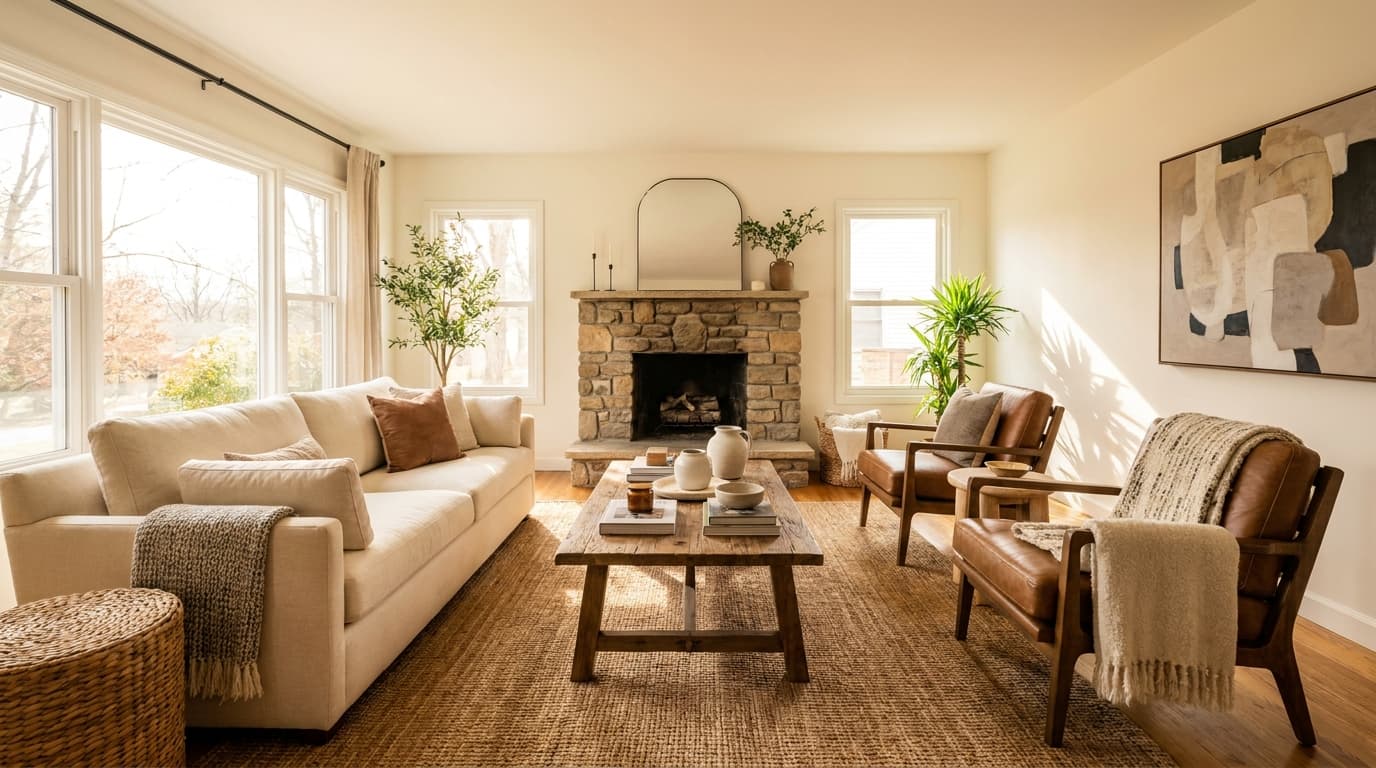
Cover photos that work: Take the photo during golden hour (hour before sunset) or with all lights on and curtains open. Show your best living space — usually the main seating area or kitchen if it's particularly nice.
Swapping a bedroom shot for a well-lit living room photo is one of the simplest ways to give your click-through rate a lift.
Quick test: Show your cover photo to someone for 3 seconds. Can they immediately tell what type of space it is and whether it looks inviting? If not, retake it.
Cause 4: Weak Title and Description
Generic titles like "Cozy 2BR Near Downtown" get ignored. Your title should immediately communicate your biggest selling point.
Strong title examples:
- "Historic Loft with Exposed Brick + Parking" (features + practical benefit)
- "Beach House, 2-Min Walk to Ocean" (location + distance)
- "Modern Cabin with Hot Tub + Mountain Views" (style + amenities)
Weak titles:
- "Beautiful Home in Great Location"
- "Perfect for Your Stay"
- "Cozy and Clean"
Your description should answer the three questions every guest has:
- What makes this place special?
- What's nearby?
- What's included?
Structure it like this:
- Opening line: Your best selling point
- Space overview: 2-3 sentences about the layout and style
- Location details: Walking distances to key attractions
- Amenities: What's included and what's special about it
- Neighborhood: Why guests will love the area
Skip flowery language. "Unwind in this thoughtfully designed space" means nothing. "Includes dedicated workspace with monitor and fast WiFi" tells guests exactly what they need to know.
Cause 5: Missing Amenities
Certain amenities are table stakes now. Missing them will cost you bookings, especially from business travelers and longer stays.
Must-have amenities in 2024:
- Fast WiFi (actually test the speed — 25+ Mbps minimum)
- Dedicated workspace
- Full kitchen basics (coffee maker, basic cookware, dishes for max occupancy)
- Quality mattress and pillows
- Blackout curtains or shades
- Hair dryer
- Iron/ironing board or steamer
Amenities that significantly increase bookings:
- Parking (especially in cities)
- Washer/dryer in unit
- Dishwasher
- Air conditioning (climate dependent)
- Smart TV with streaming services
- Hot tub or pool (if applicable)
During the remote work boom, a dedicated workspace became one of the easiest ways to pick up more mid-week bookings from guests working on the road.
Amenity audit exercise: Search your competition and note what amenities they highlight. If 70% of similar listings offer something you don't, you're at a disadvantage.
Cause 6: Bad Reviews Dragging You Down
Reviews below 4.7 stars will hurt your bookings. Reviews below 4.5 will kill them. But the specific comments matter more than the overall rating.
Review killers:
- Cleanliness complaints
- Communication issues
- Misleading photos or descriptions
- Noise problems
- Check-in difficulties
The recovery strategy: Address every single issue mentioned in negative reviews, even if you disagree with them. Then communicate those improvements to future guests proactively.
If guests complained about noise, mention that you've added sound machines and explain your quiet hours policy in your description. If they mentioned cleanliness, mention your professional cleaning service.
For serious review damage (below 4.5 stars): Consider starting fresh with a new listing if you have multiple scathing reviews. It sounds extreme, but sometimes it's faster than trying to recover a damaged rating.
Review management strategy:
- Respond to every review professionally
- Thank guests for specific feedback
- Address legitimate concerns publicly
- Never argue or get defensive
- Use responses to communicate improvements to future guests
Cause 7: Calendar Management Issues
Poor calendar management creates a booking death spiral. Guests see unavailable dates, assume you're busy or unresponsive, and book elsewhere.
Common calendar mistakes:
- Blocking dates "just in case" without confirmed bookings
- Not updating availability quickly after cancellations
- Leaving gaps of 1-2 days between bookings
- Manual calendar management across multiple platforms
The fix: Use dynamic pricing and calendar management tools. Keep your calendar open as much as possible. If you need to block personal use, do it at least 2-3 months in advance.
Gap management: Those 1-2 day gaps between bookings are booking killers. Guests assume you have minimum stays when they see scattered availability. Either lower prices for gap days or adjust your minimum stay requirements.
Platform sync issues: If you're listed on multiple platforms, invest in a channel manager. Double bookings and sync delays will destroy your Superhost status and search ranking.
Professional Help vs DIY Fixes
Most of these issues are interconnected. Fixing your pricing might improve your ranking, which increases your views, which generates more bookings and better reviews. But it takes time to see these compound effects.
The hosts who succeed fastest take a systematic approach. They audit every aspect of their listing, identify the 2-3 biggest problems, and fix them methodically over 4-6 weeks.
If you're not sure which issues are affecting your specific listing, or you want expert recommendations tailored to your market and property type, get a professional audit from STRAudits. Our $49 audit identifies exactly which of these seven factors are hurting your occupancy rate and provides specific action steps to fix each one. You'll have your detailed report within 48 hours.