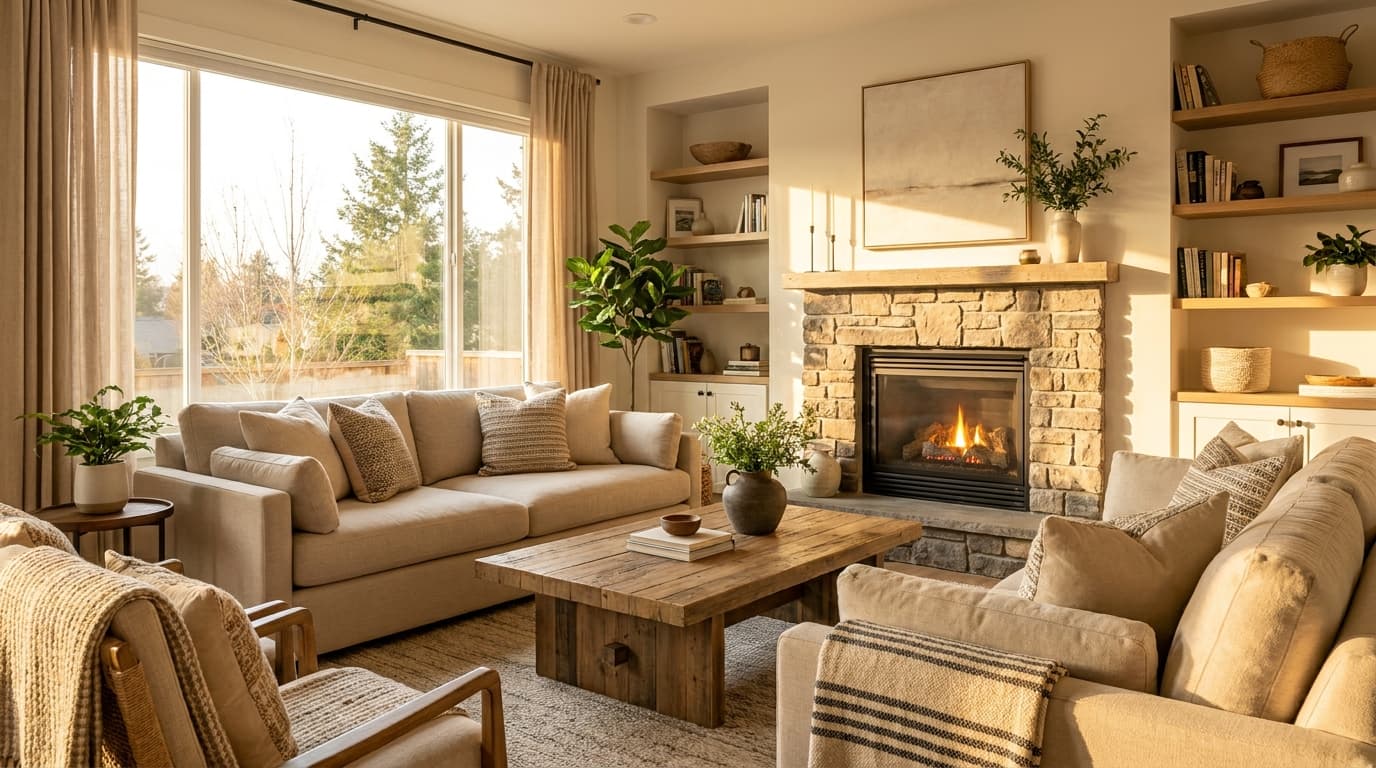
Your Airbnb photo order determines whether someone clicks on your listing or scrolls past it. After 12 years of hosting and managing 100+ properties, the pattern is clear to me: a strategic photo sequence beats a random upload every time.
Most hosts make the same mistake — they lead with an exterior shot because "guests need to see what they're booking." Wrong. Your first photo should make someone want to stay in your space, not just identify it.
Photo Order Impacts Your Click-Through Rate
In Airbnb search results, potential guests see your first photo as a thumbnail. If it doesn't grab attention in 2-3 seconds, they move on. Changing just the hero photo is one of the fastest ways to move your click-through rate.
The difference can be dramatic. Picture a property in Austin with an exterior shot as its cover. Swap it for an interior living room photo with warm lighting and you're testing a single change: same listing, same everything else, just a different first photo. Your Insights tab will tell you whether clicks moved.
Your photo sequence matters beyond the hero shot too. Most guests only look at a handful of photos before deciding to book or move on. The order you show these photos influences their perception of value and quality.
The First 5 Photos That Matter Most
Here's the sequence I use:
Photo 1: Hero shot — Your most impressive interior space with perfect lighting
Photo 2: Key living area — Living room, kitchen, or main gathering space
Photo 3: Best bedroom — The master bedroom or most appealing sleep space
Photo 4: Bathroom — Your nicest full bathroom, well-lit and staged
Photo 5: Unique feature — What sets your place apart (view, hot tub, workspace, etc.)
This sequence tells a story. Photo 1 gets them interested. Photos 2-3 show them where they'll spend most of their time. Photo 4 addresses practical needs. Photo 5 gives them a reason to choose you over similar listings.
Hero Photo Selection Criteria
Your hero photo makes or breaks your listing performance. Here's what works:
Interior shots usually outperform exterior shots. Unless you have a stunning architectural exterior or dramatic view, lead with an interior space.
Living areas beat bedrooms for hero shots. Living rooms, great rooms, and open kitchen spaces feel more inviting. Bedrooms can feel too intimate as the first impression.
Lighting is everything. Your hero photo needs warm, bright lighting. No dark corners, no harsh shadows. Golden hour interior shots or well-staged evening photos with lamps perform best.
Show space, not stuff. Wide shots that showcase the room's size and layout work better than tight shots focused on decor details.
Imagine a Nashville listing with a bedroom hero shot. The room is beautiful, but bookings are slow. A wide shot of the living room with the kitchen visible in the background would tell guests far more about the space at a glance, and that's the swap I'd make first.
Room-by-Room Photo Sequence
After your first 5 strategic photos, organize the rest by room priority:
Living Spaces (Photos 6-8)
- Wide shot of living room from different angle
- Kitchen details if it's well-equipped
- Dining area if it seats 4+ people
Bedrooms (Photos 9-12)
- Show all bedrooms, starting with the largest
- Include one detail shot per bedroom (nice linens, reading nook)
- Group bedroom photos together — don't scatter them
Bathrooms (Photos 13-15)
- One photo per full bathroom
- Skip half-baths unless they're exceptionally nice
- Focus on clean lines and good lighting
Outdoor Spaces (Photos 16-18)
- Patio, deck, or balcony if guests can actually use it
- Pool area if you have one
- Garden or yard views that add value
Property Context (Photos 19-20)
- Exterior shot showing curb appeal
- Neighborhood context if it's attractive
- Parking situation if it's a selling point
Don't exceed 20-25 photos total. More photos don't equal more bookings — they equal decision fatigue.
What to Show vs What to Skip
Always show:
- Every bedroom guests will access
- All full bathrooms
- Kitchen and main living areas
- Any unique amenities (hot tub, fireplace, workspace)
- Outdoor spaces guests can use
- Parking if it's included
Skip these common mistakes:
- Closet interiors (unless they're walk-in and impressive)
- Laundry rooms (mention in description instead)
- Storage areas or utility spaces
- Bathrooms that are tiny or dated
- Outdoor spaces guests can't access
- Multiple angles of the same unremarkable room
I see hosts upload 30+ photos thinking more is better. I've seen listings with a dozen photos of the kitchen from different angles. That's not helpful — it's overwhelming.
Photo Quality Minimum Standards
Technical quality matters as much as photo order. Here are my non-negotiables:
Resolution: Upload at 1920x1080 minimum. Airbnb compresses photos, so start with high resolution.
Brightness: Photos should be bright enough to see clearly on mobile devices. Slightly overexpose rather than underexpose.
Color accuracy: Colors should look natural, not oversaturated. That Instagram filter might look cool, but it sets wrong expectations.
Sharp focus: Every photo should be tack sharp. Blurry photos make your listing look unprofessional.
Straight lines: Use a level or editing app to ensure horizons and vertical lines are straight. Crooked photos look sloppy.
Consistent style: All photos should have similar brightness, contrast, and color tone. They should feel like they belong in the same listing.
I've seen beautiful properties get poor performance because of grainy, dark, or inconsistent photos. Good photography isn't just about making your place look nice — it's about making your place look trustworthy.
Mobile vs Desktop Photo Display
A lot of Airbnb browsing and booking happens on phones, so optimize for mobile first.
Mobile considerations:
- Photos display smaller, so wide shots work better than detail shots
- Text in photos becomes unreadable
- Dark photos look terrible on phone screens
- Guests swipe through photos quickly — each one needs immediate impact
Desktop advantages:
- Larger display shows more detail
- Guests often view photos in full-screen mode
- Better for showing room layouts and spatial relationships
Test your photo sequence on both mobile and desktop. Photos that look great on your laptop might be disappointing on a phone screen.
Common Photo Order Mistakes
Starting with exterior shots: Unless your exterior is genuinely stunning, interior shots convert better as hero photos.
Scattering bedrooms throughout: Group bedroom photos together so guests can understand the sleeping arrangements.
Burying the best amenity: If you have a hot tub, amazing view, or unique feature, show it in your first 5 photos.
Too many similar shots: Three photos of the living room from slightly different angles doesn't add value.
Ending with weak photos: Your last few photos should reinforce why guests should book, not trail off into mediocrity.
Including placeholder photos: Don't upload photos just to reach a certain number. Every photo should serve a purpose.
Picture a mountain cabin that buries its incredible view in photo 18 of 22. Most guests will never swipe that far, so the property's biggest selling point is effectively invisible. Moving the view photo up to position 3 is a five-minute fix.
Your photo order isn't just about showing your space — it's about selling your space. The right sequence turns browsers into bookers by building desire, addressing concerns, and highlighting what makes your listing special.
Every photo should move potential guests closer to hitting the "Reserve" button. If a photo doesn't contribute to that goal, it doesn't belong in your listing.
These guidelines work for most properties, but every listing has unique strengths that need different strategies. A downtown loft needs a different photo sequence than a lakeside cabin, and what works in Miami won't work in Seattle.
Want specific recommendations for YOUR listing's photo strategy? Get a professional audit from STRAudits for $49. You'll get detailed analysis of your current photo order plus specific recommendations for improvement — delivered within 48 hours.